Free Browser Tool
O With Accent Made Simple
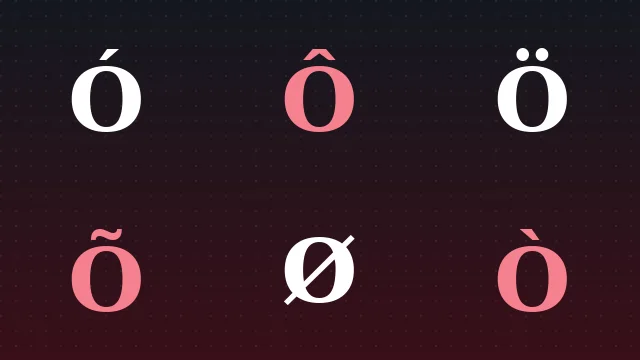
The O With Accent finder puts every accented O in one place — Ó, Ò, Ô, Õ, Ö, Ø and eighty more — searchable by mark, language or code point and ready to copy in a single tap. Every character arrives with its Unicode value, HTML entity and Windows Alt code, and nothing you type ever leaves your browser.
- No Sign Up Required
- Works Offline
- Zero Tracking
Search By Mark Name, Language, Code Point Or Alt Code. Tap Copy On Any Card To Place The Character On Your Clipboard.
Showing 12 Of 89 Accented Characters.
Your Favourites
Nothing Saved Yet. Tap The Star On A Character To Keep It Here For Quick Copying.
What The O With Accent Tool Does
O With Accent solves one small but constant problem: you need a character like Ó, Ô, Ö or Ø and your keyboard will not give it to you easily. Instead of digging through a symbol menu or memorising a shortcut, you search by name, language or code, then copy the exact character in a single tap.
Every character is standard Unicode, so it pastes cleanly into documents, chats, forms, code and profiles. Each card also shows the Unicode code point, the HTML entity and, where one exists, the Windows Alt code, so the tool doubles as a quick reference as well as a copy button.
- Every accented O, from acute and grave to the horned and dotted Vietnamese forms.
- Copy the character or its HTML entity, and read the Alt code beside each one.
- No tracking, no upload and no cost, on desktop and mobile alike.
Everything The Tool Gives You
Built to make accented characters quick to find, easy to copy and reliable to paste.
Smart Search
Find a character by its mark name, its language, its Unicode code point or its Alt code, all from one box.
One Tap Copy
Every card has its own copy button. Tap it once and the character lands on your clipboard, ready to paste.
Codes And Entities
Read the Unicode code point and copy the HTML entity straight from each card for documents and web work.
Alt Code Reference
Prefer to type? The Windows Alt code sits next to every character that has one, so you can learn the keypad shortcut.
Favourites Shelf
Save the characters you use most to a shelf that stays in your browser, so your go-to letter is always a tap away.
Live Converter
Type a whole word and swap every O for the accent you choose, then copy the finished text in one go.
Printable Sheet
Send a clean reference of the accents to a printer, or save it as a PDF for a desk side cheat sheet.
Private By Design
The tool runs on your device. Nothing you type is uploaded, logged or shared with anyone, ever.
Copy An Accented O In Three Steps
From a blank clipboard to the exact character in a few seconds.
Search Or Browse
Type the mark, the language or a code into the search box, or filter with the chips to narrow the list.
Pick The Character
Each card shows the glyph, its name, its code point, its HTML entity and its Alt code so you choose the right one.
Copy And Paste
Tap Copy, then paste the character into your document, message, form or code. That is the whole flow.
Turn A Whole Word Accented
Type a word, choose which accent to place on its O letters, and copy the finished text in one tap. Handy for names, headings and quick edits.
The Converter Changes Every Letter O In Your Text. For A Single Character, Use The Finder Above Instead.
O Accent Alt Code Chart
The most used accented O characters with their Unicode code point, HTML entity and Windows Alt code. On Windows, hold Alt and type the number on the numeric keypad.
Swipe The Table Sideways To See Every Column.
| Character | Name | Unicode | HTML Entity | Alt Code |
|---|---|---|---|---|
| Ó | O With Acute | U+00D3 | Ó | Alt 0211 |
| ó | o With Acute | U+00F3 | ó | Alt 0243 |
| Ô | O With Circumflex | U+00D4 | Ô | Alt 0212 |
| Ö | O With Two Dots | U+00D6 | Ö | Alt 0214 |
| Õ | O With Tilde | U+00D5 | Õ | Alt 0213 |
| Ò | O With Grave | U+00D2 | Ò | Alt 0210 |
| Ø | O With Stroke | U+00D8 | Ø | Alt 0216 |
| Ō | O With Macron | U+014C | Ō | No Alt Code |
Laptops without a numeric keypad can still copy any character from the tool above. See the full O Accent Alt Code Guide for every number.
Print A Reference Or Save As A PDF
Pick a set of characters, then send a clean reference sheet to the printer. Choose Save as PDF in the print dialog to keep a digital copy instead.
Print Reference Sheet
Each sheet lists the chosen characters with their name, code point, HTML entity and Alt code.
All O Accents Will Be Printed.
Where The Characters Work
The tool runs in any modern browser. The characters themselves are standard Unicode, so they paste almost everywhere that accepts normal text.
Browsers
Chrome, Firefox, Safari and Edge on desktop and mobile all run the tool and copy correctly.
Documents And Chat
Word, Google Docs, email, Discord and social profiles all accept the characters as ordinary text.
Code And Web
Paste the character on a UTF-8 page or copy its HTML entity for older encodings and templates.
What People Say About Using It
Feedback from teachers, translators, writers and developers who reach for accented O characters every day.
Learn Before You Type
Short, practical guides on accented O, Alt codes, copy and paste, and the languages that use each mark.
Frequently Asked Questions
The quick answers people ask most about accented O, Alt codes, copy and paste and where the characters work.
What is an O with accent?
How do I copy and paste an O with accent?
What is the Alt code for O with an accent?
What does the O with two dots mean?
Is O with a stroke the same as an accented O?
When does O take an accent in Spanish?
How do I write an accented O in HTML?
Ó for Ó or the numeric Ó. Each card has an HTML button that copies the entity. The HTML entity guide covers encoding in full.Why does my accented O show as a box?
Does the tool work on mobile?
Is O With Accent free?
Find Your Next Accented O
Open the tool, search for the mark you need and copy the exact character in seconds. Free, private and always in your browser.